How to Translate PDF Document on Mac
Use Doco Translate to translate PDF documents on your Mac — preserving layout, protecting privacy, and delivering accurate results in a few clicks.
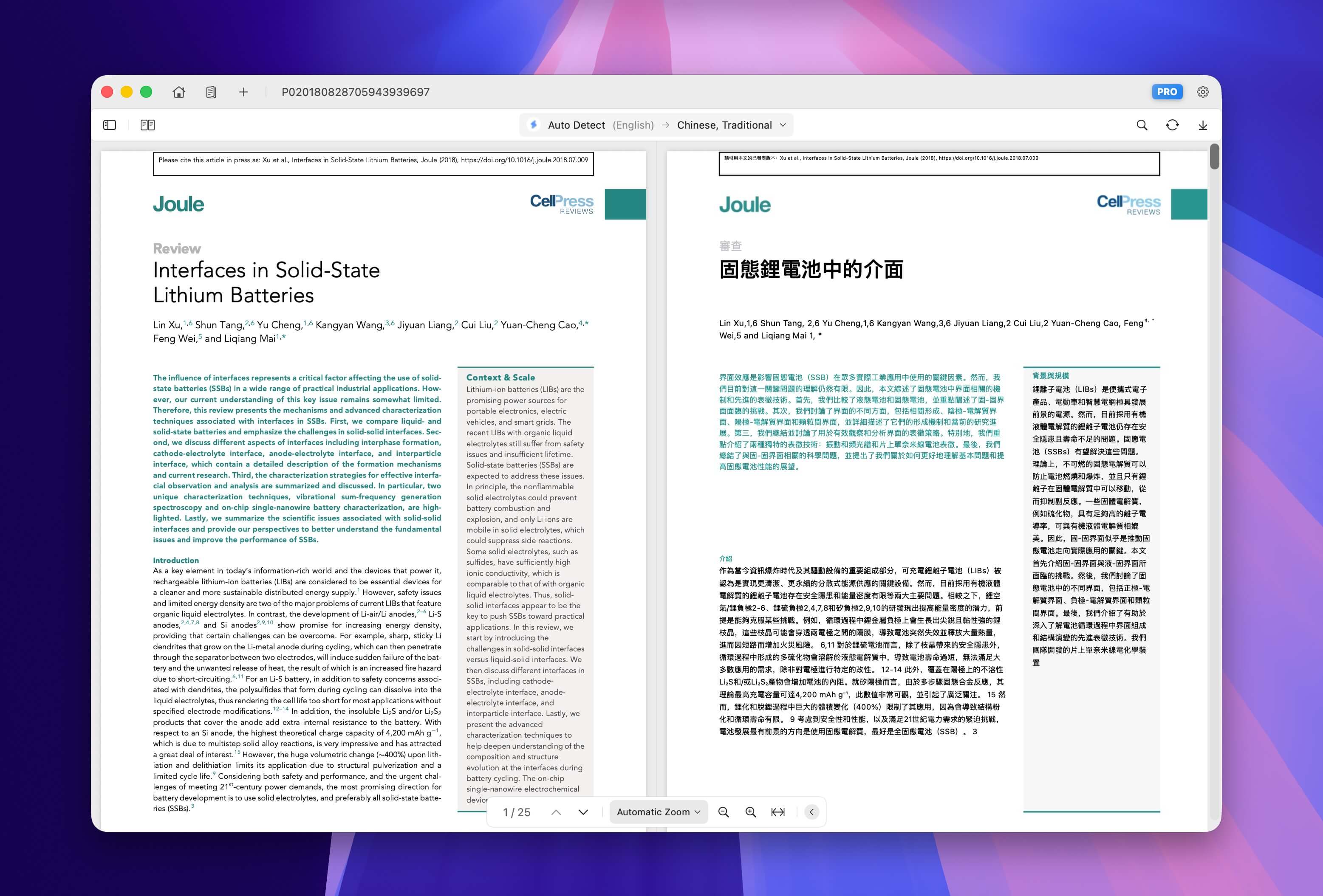
Need to translate a PDF on your Mac without losing formatting or uploading files to the cloud? Doco Translate is a native macOS app that does exactly this — translate PDF documents while preserving the original layout, all processed locally on your device.
Why Doco Translate
- Layout preservation — Tables, images, formulas, multi-column text — all stay intact after translation.
- 100% offline & private — Documents never leave your Mac. No uploads, no cloud processing.
- Bilingual side-by-side view — Read the original and translation simultaneously for easy comparison.
- Built-in OCR — Handles scanned PDFs and image-based documents out of the box.
- 100+ languages — English, Chinese, Japanese, Korean, French, German, Spanish, Arabic, and more.
How to Translate a PDF in 4 Steps
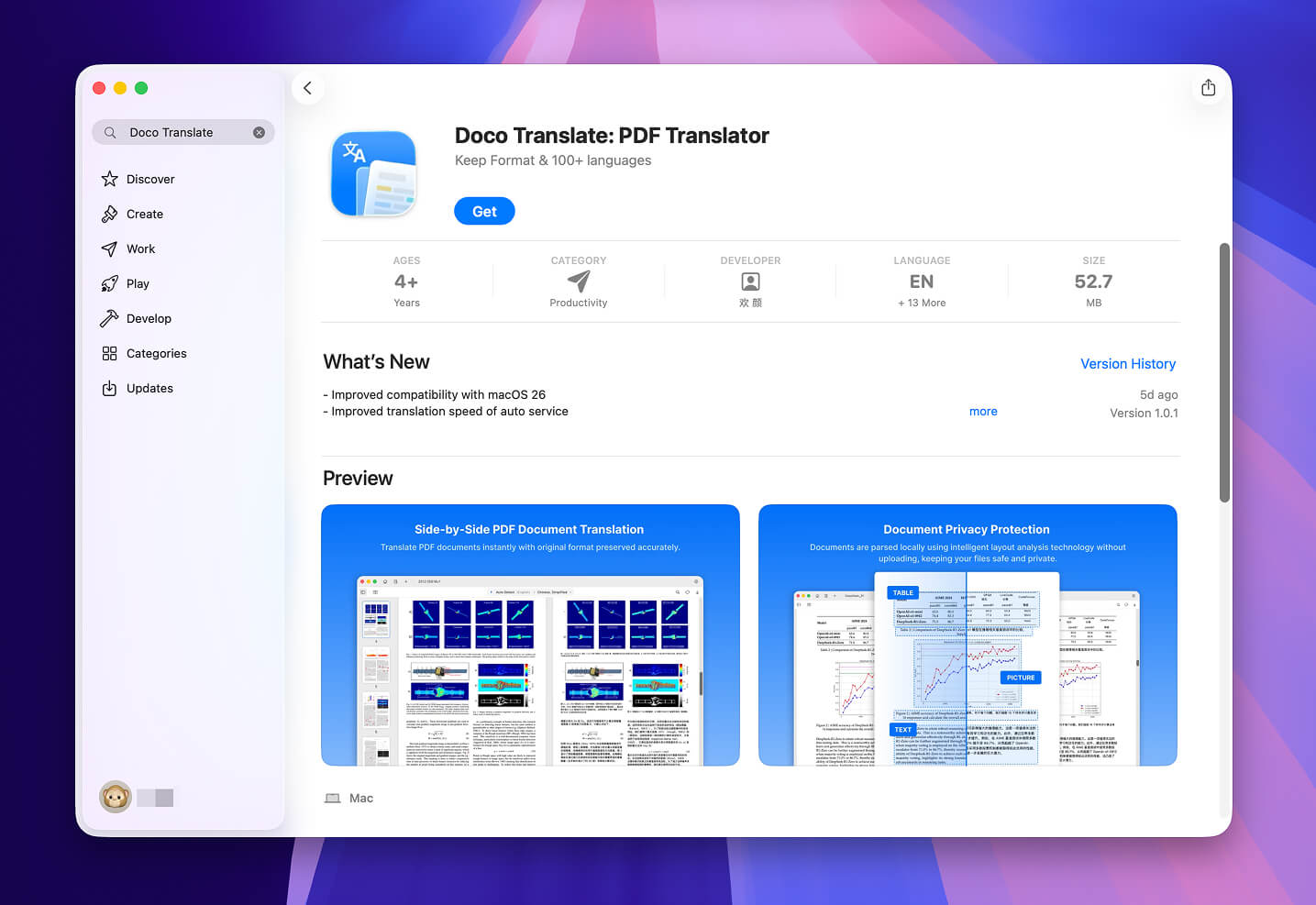
Step 1: Download & Install
Download Doco Translate for free from the Mac App Store and launch the app.
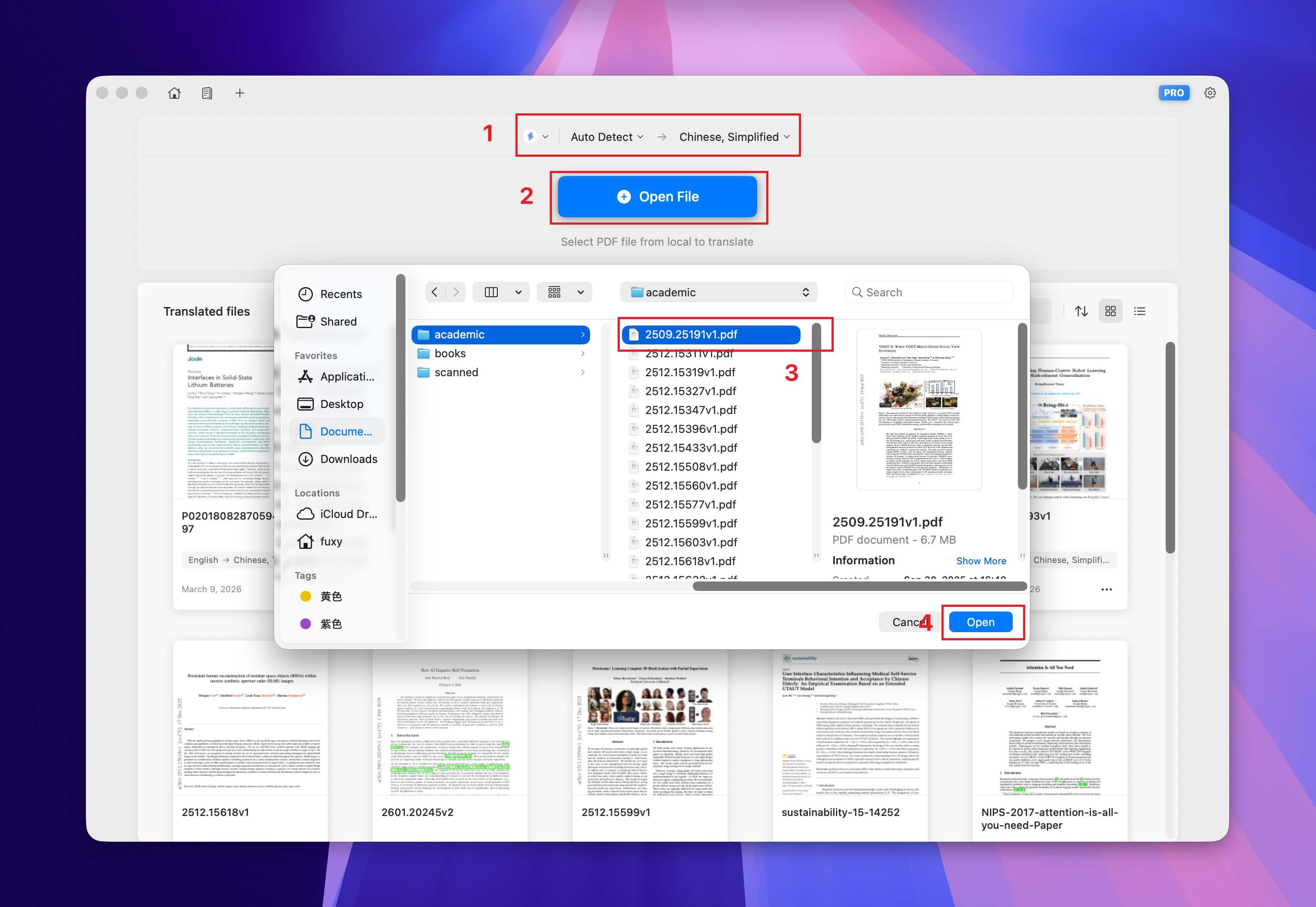
Step 2: Set Translation Parameters & Open File
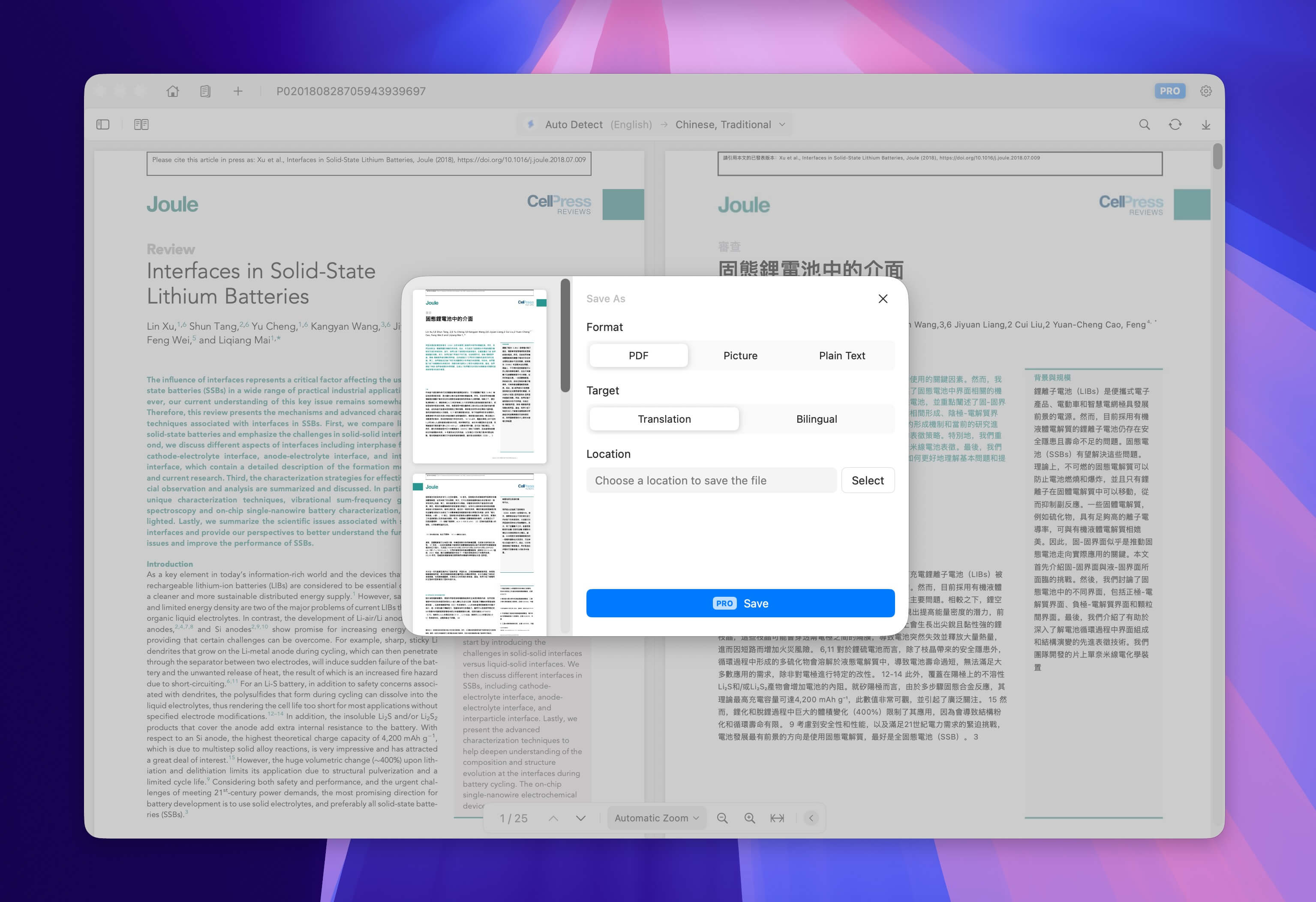
Choose your target language and preferred translation service, then click the open button to select your PDF file. The app will automatically begin translating while preserving the original formatting.
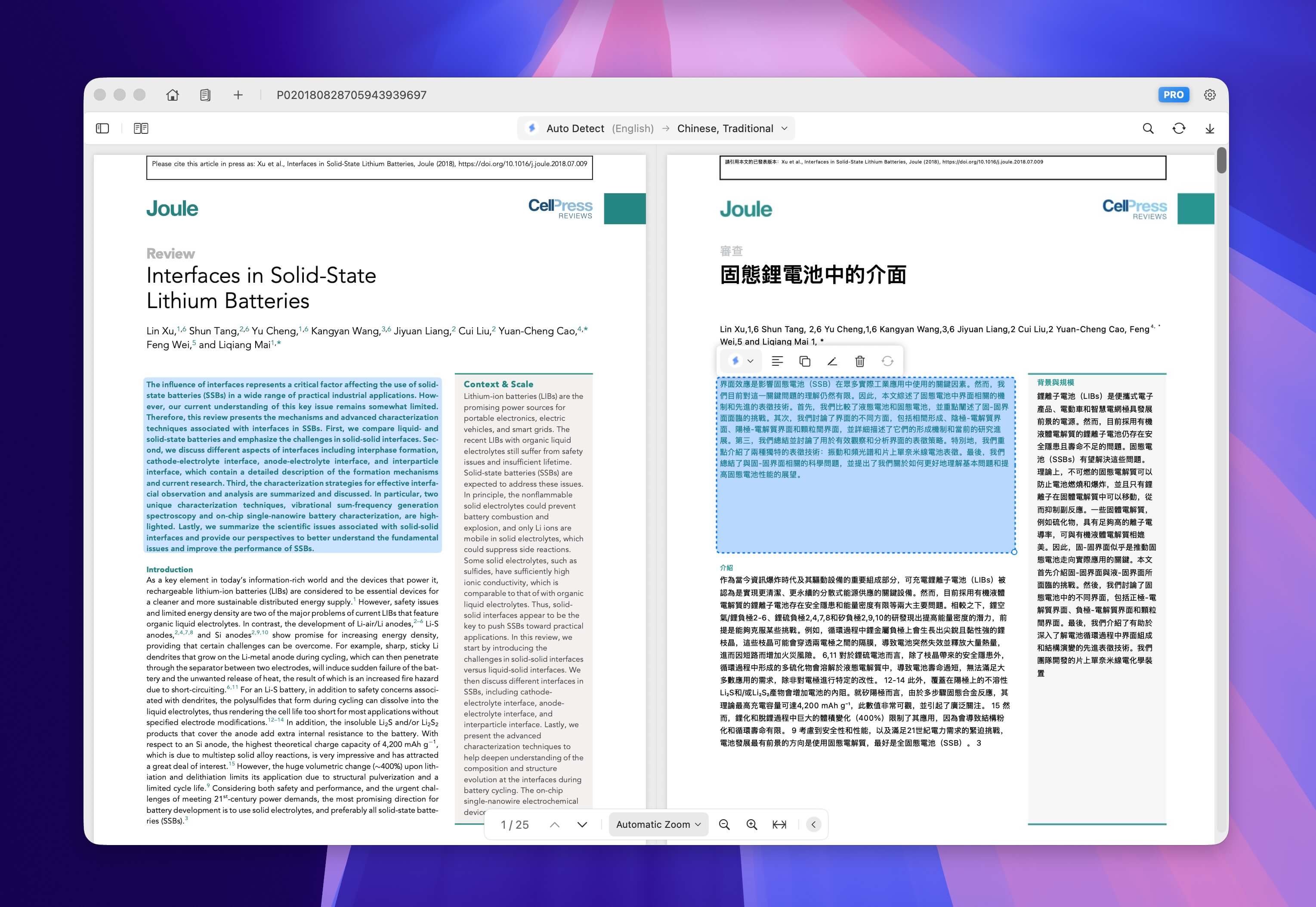
Step 3: Review & Edit
Use the bilingual side-by-side view to review the translation. Click on any translated paragraph or image to edit — suitable for fine-tuning technical terms or specific wording.
Step 4: Export & Share
Export your translated document in your preferred format — PDF, image, markdown, or plain text. You can share it easily with your colleagues or clients.
Quick Tips
- Scanned PDFs are fully supported — the built-in OCR will automatically extract text for translation.
- For scanned PDFs, manually setting the correct source language helps OCR recognize text more accurately and improves translation quality.
- Use the built-in editor to fine-tune domain-specific terminology after translation.
Get Started
Download Doco Translate for free from the Mac App Store — no account required, no file uploads, no compromises. Start translating your PDFs in seconds.
Start Translating for Free
Download Doco Translate and start your document translation journey now.
 Requires macOS 15 or later