
AI Services (API Key)
Doco Translate lets you connect AI services from large language model providers using your own API key.
Large language models usually produce better translations than conventional machine translation and support custom prompts for adjusting translation style.
Doco Translate supports mainstream AI model providers.
AI Model Providers
| Service | Provider | API Key | Free Models |
|---|---|---|---|
| Gemini | Required | Available | |
| OpenAI | OpenAI | Required | None |
| Claude | Anthropic | Required | None |
| DeepSeek | DeepSeek | Required | None |
| Zhipu AI | Zhipu AI | Required | Available |
| Kimi | Moonshot AI | Required | None |
| MiniMax | MiniMax | Required | None |
| Xiaomi MiMo | Xiaomi | Required | None |
| SiliconFlow | SiliconFlow | Required | Available |
| OpenRouter | OpenRouter | Required | Available |
Setup Workflow
The following example uses DeepSeek to demonstrate how to connect an API-key-based service.
Create an API Key
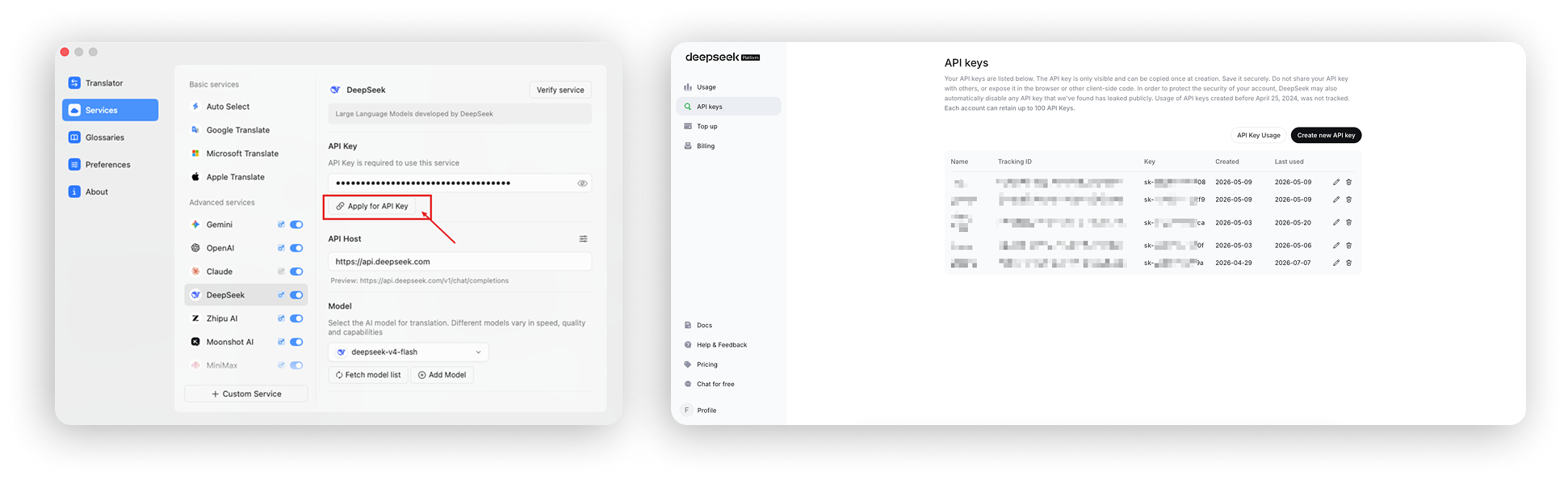
Open Settings → Services → Advanced Services → DeepSeek and click Apply for Key. Alternatively, visit the DeepSeek Platform, create an API key, and copy it.
Verify the API Key
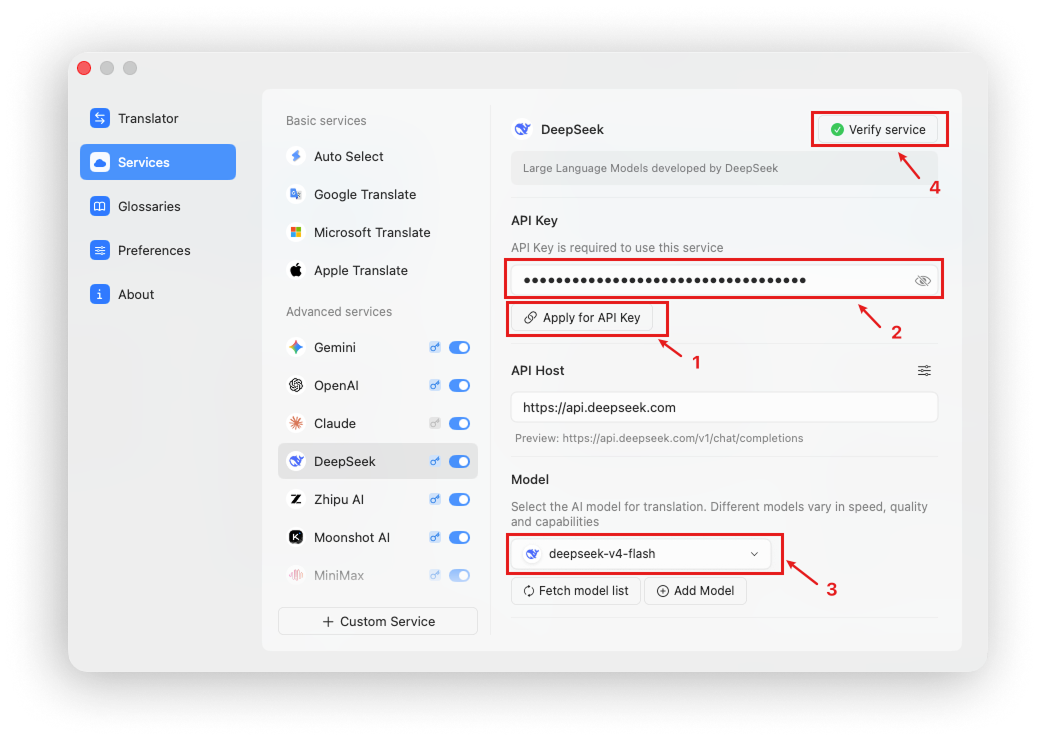
Paste the generated API key into Settings → Services → Advanced Services → DeepSeek.
Choose a model, such as deepseek-v4-flash.
Click Verify Service in the upper-right corner to confirm that both the service and model are available.
Translate with the AI Service
Open the translation settings panel in the translator, choose DeepSeek, and click Translate.
AI model services display translated text as a stream while it is generated.
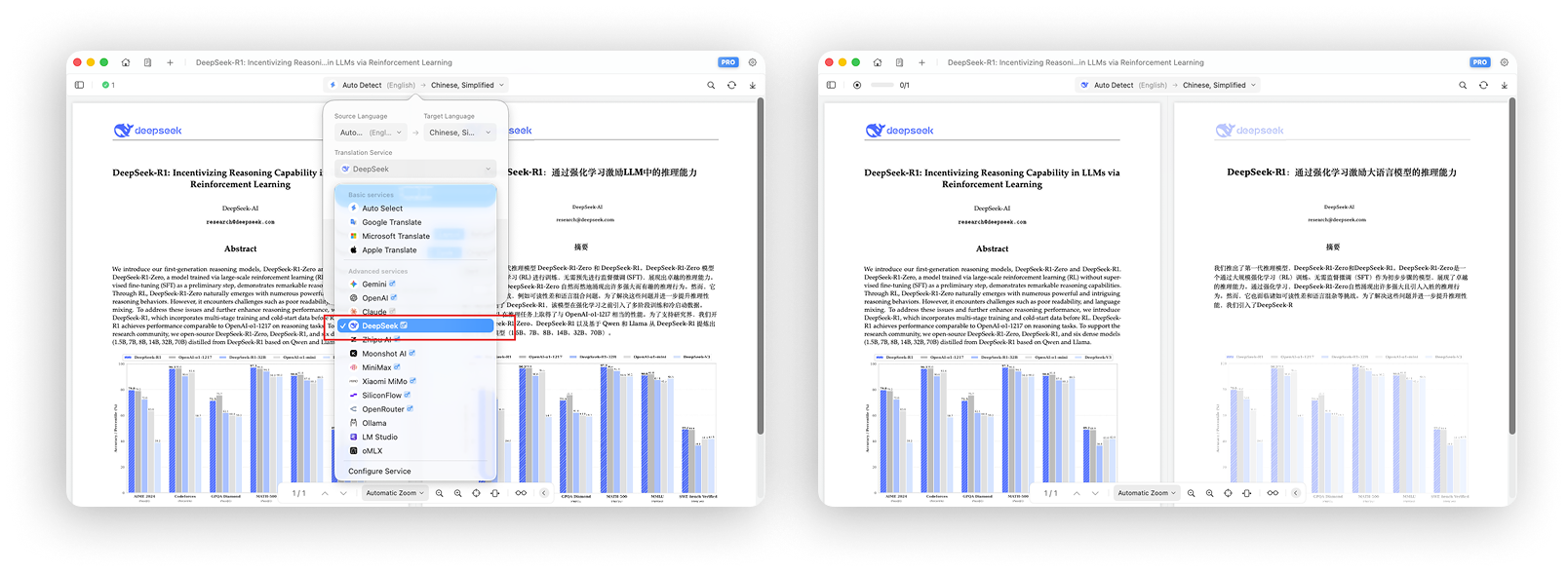
To use an AI service as your global translation engine, choose DeepSeek or another AI service on the Doco Translate home screen or under Settings → Translation.
Add Models
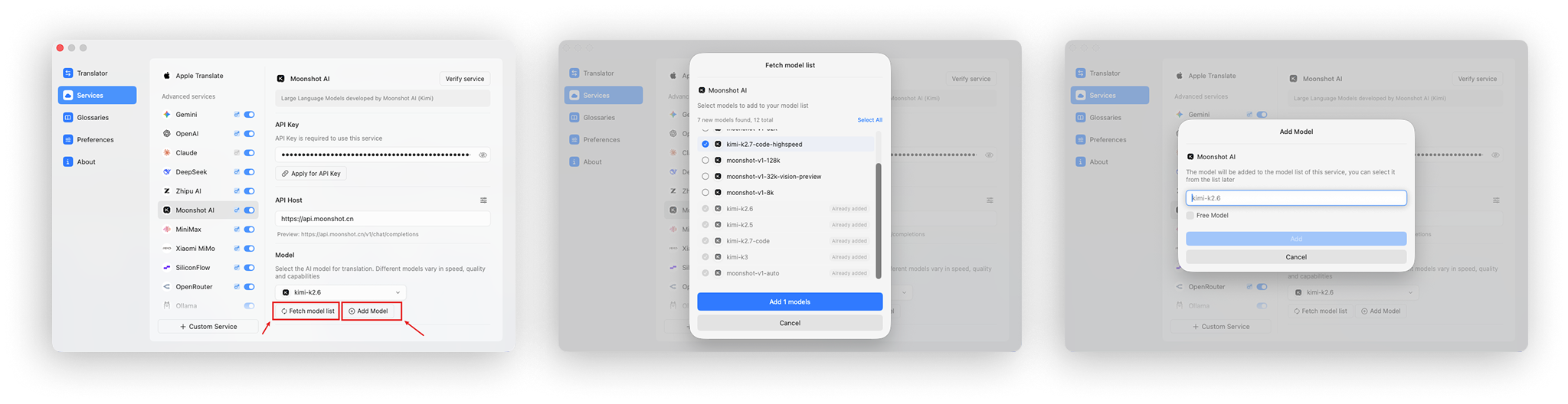
AI providers regularly update existing models and release new ones, so the model list built into Doco Translate may eventually become outdated.
Doco Translate provides Fetch Model List and Add Model Manually to keep your available models current.
Fetch the Model List
After entering an API key, click Fetch Model List. Doco Translate retrieves all models currently available from that provider. Select the models you want to add for translation.
Add a Model Manually
You can also add a model manually. Click Add Model, enter the exact model identifier, and add it to the list. We recommend verifying the model after adding it.