
Bilingual Reading
Doco Translate provides an easy-to-read, side-by-side bilingual reader for foreign-language documents.
Bilingual Comparison
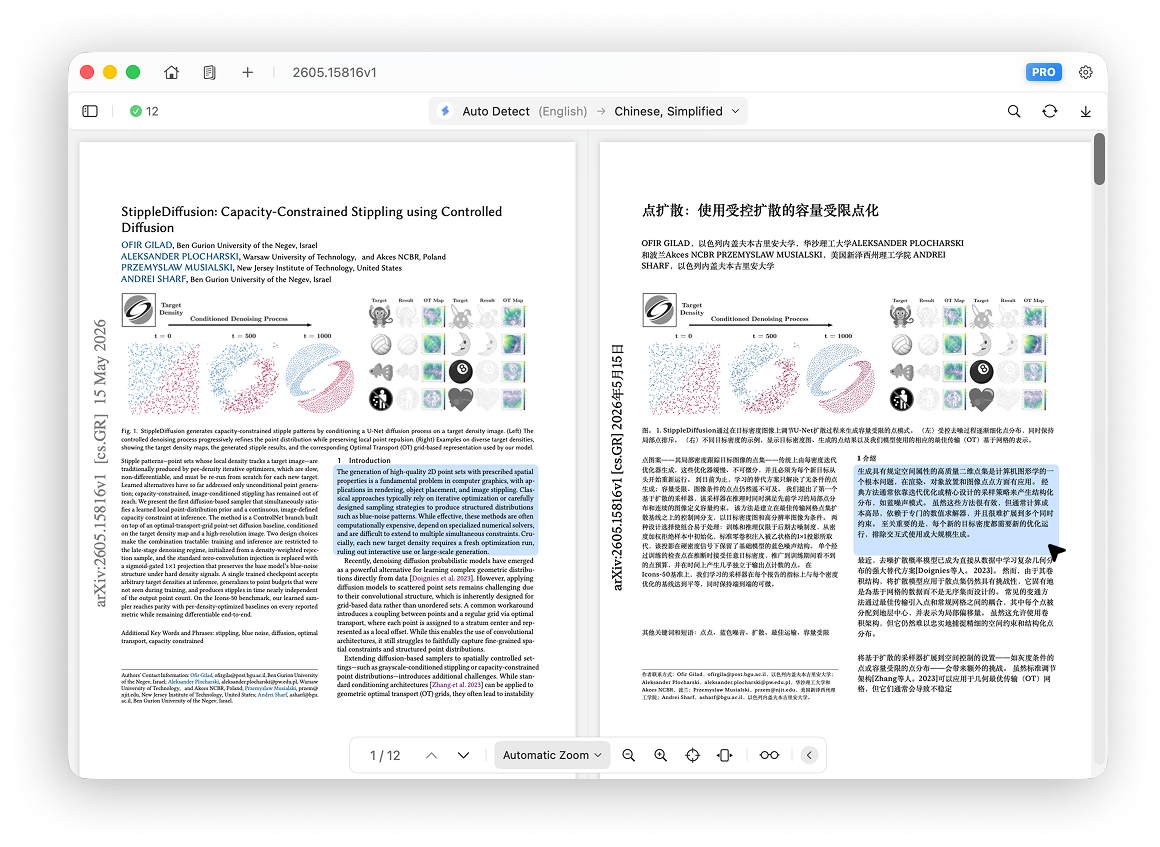
The translator uses bilingual comparison mode by default.
The original PDF appears on the left, and the translated page appears on the right.
Synchronized Scrolling and Zooming
Scrolling and zooming always remain synchronized between the original and translated areas, making side-by-side reading easy.
Linked Highlighting
When you point to a paragraph or image on the original page, that object is highlighted along with its corresponding object on the translated page.
The same behavior works in reverse when you point to an object on the translated page.
Two-way linked highlighting makes the relationship between the original and translated content clear.
Translation Only
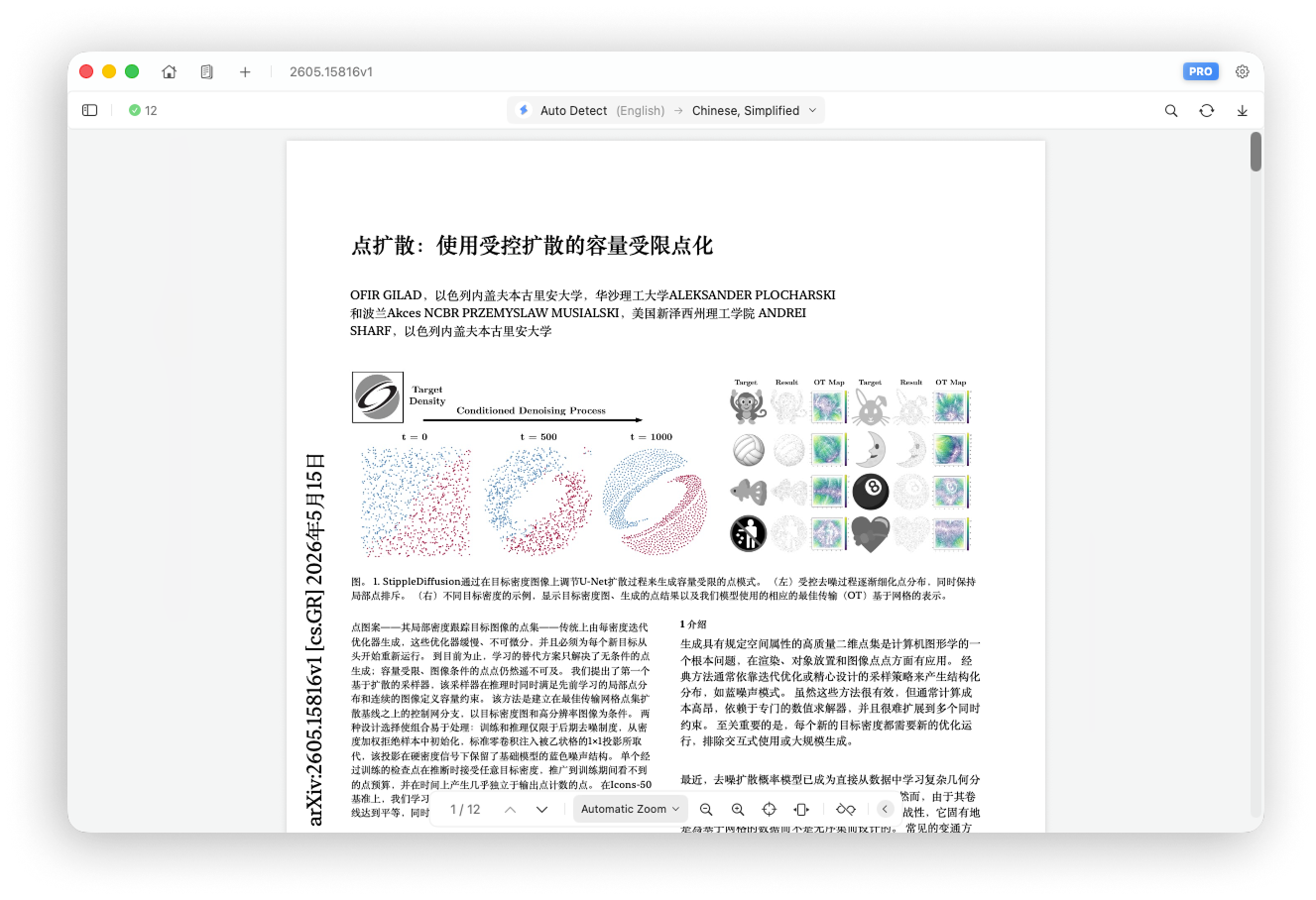
Click the glasses icon in the bottom toolbar to switch between Bilingual and Translation Only.
Translation Only hides the original area so you can focus on the translated content.
Mirrored RTL Layout
For right-to-left languages such as Arabic, Persian, and Urdu, Doco Translate can intelligently mirror the translated layout for a better reading experience.
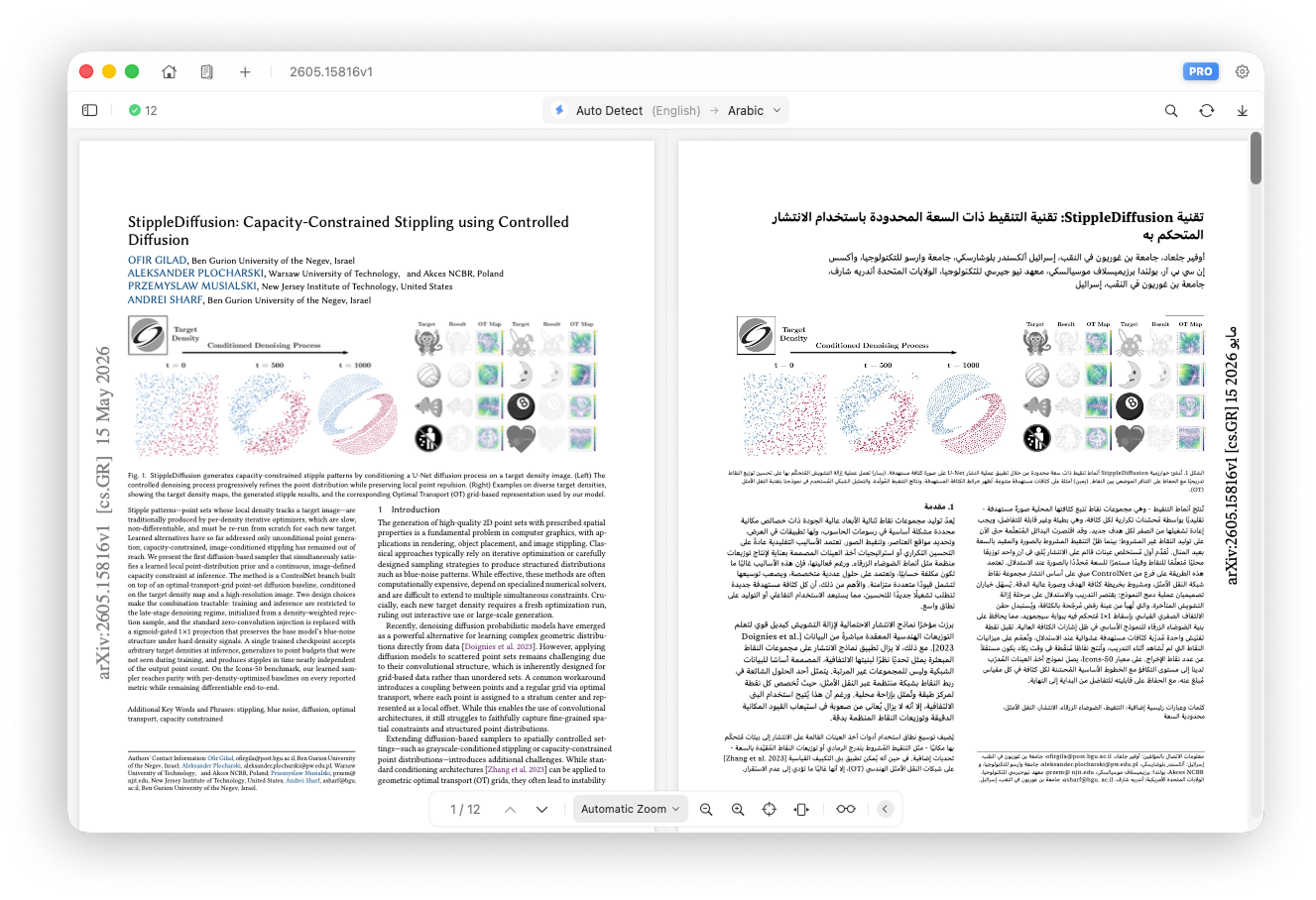
You can also choose the layout direction manually under Settings → Translation Settings → Layout Direction:
- Auto: choose the layout direction based on the target language
- Left to Right: use the standard left-to-right layout
- Right to Left: use a mirrored right-to-left layout for languages such as Arabic