
Custom Translation Services
For AI providers that do not appear in the built-in service list, Doco Translate lets you add a custom service and connect it for translation.
Add a Custom Service
Open the Doco Translate Settings → Services panel. Click Add Custom Service below the service list, enter a service name, and choose an API protocol.
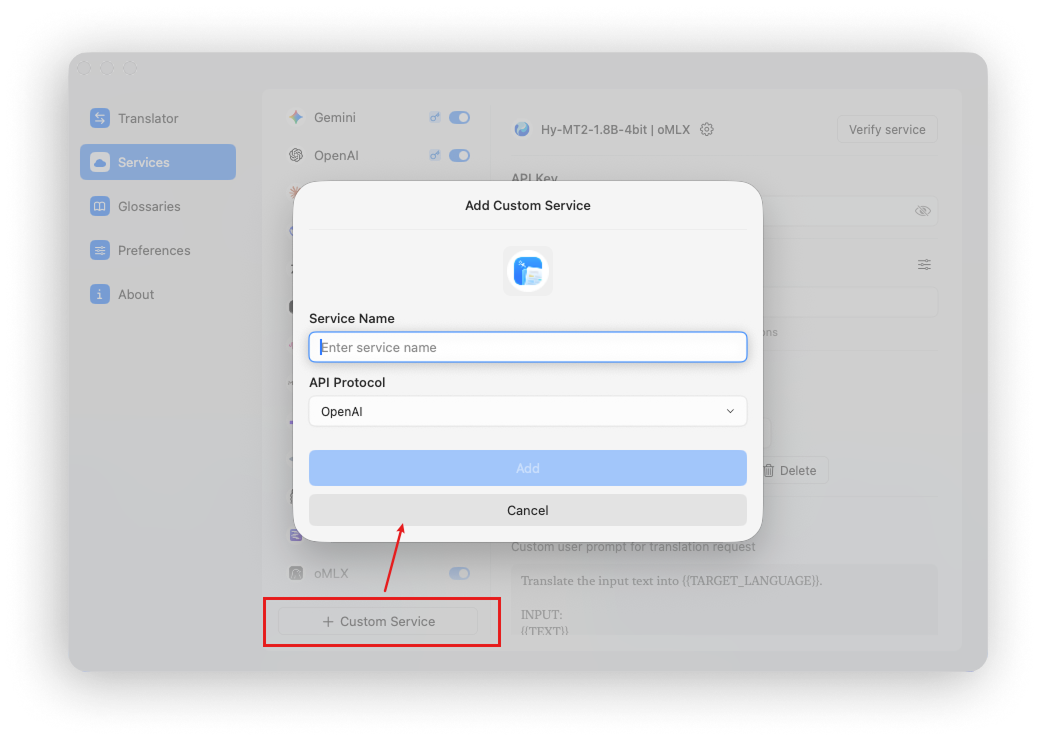
API Protocols
Doco Translate supports five common AI API protocols:
- OpenAI protocol (Chat Completions)
- Anthropic protocol (Responses)
- Gemini protocol
- Ollama protocol
- LM Studio protocol
Custom Request Parameters
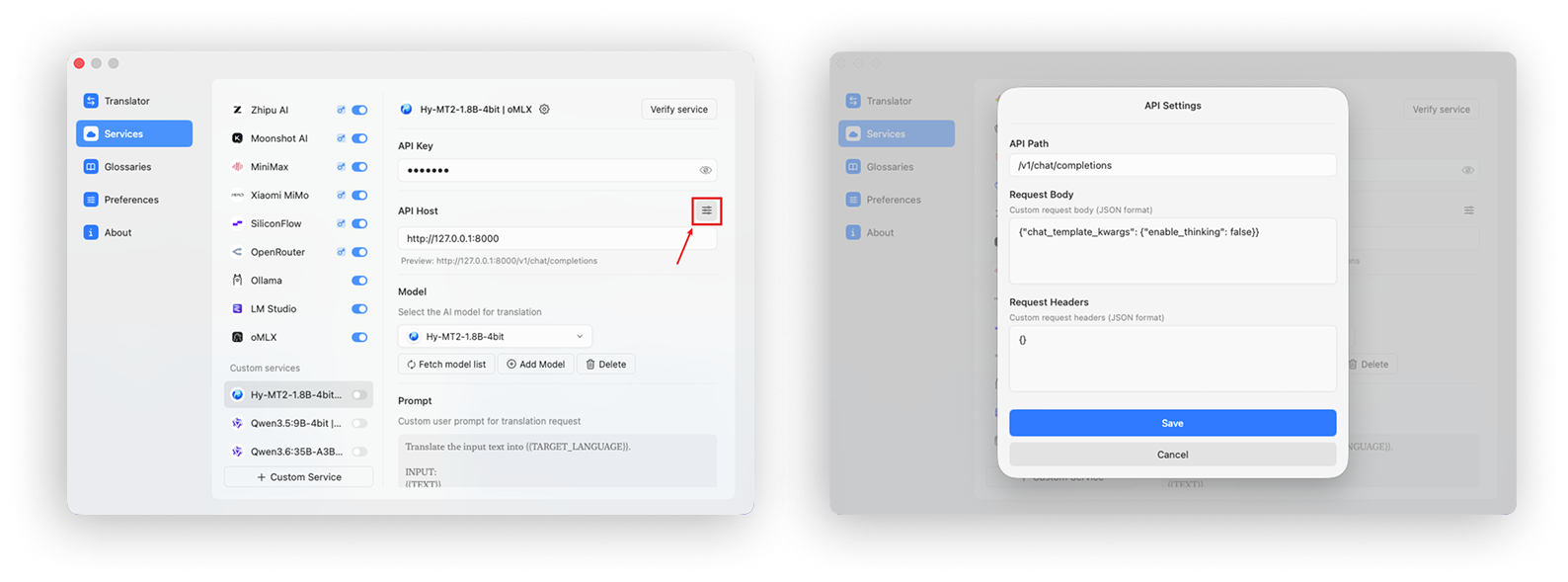
Doco Translate supports the following custom request settings:
- API host: useful when switching between standard APIs and Coding Plan endpoints
- API path: use a non-standard path supplied by a third-party provider
- Request body parameters: configure options such as disabling reasoning, which is recommended for translation
- Request headers: use additional headers in special cases
Custom Prompt
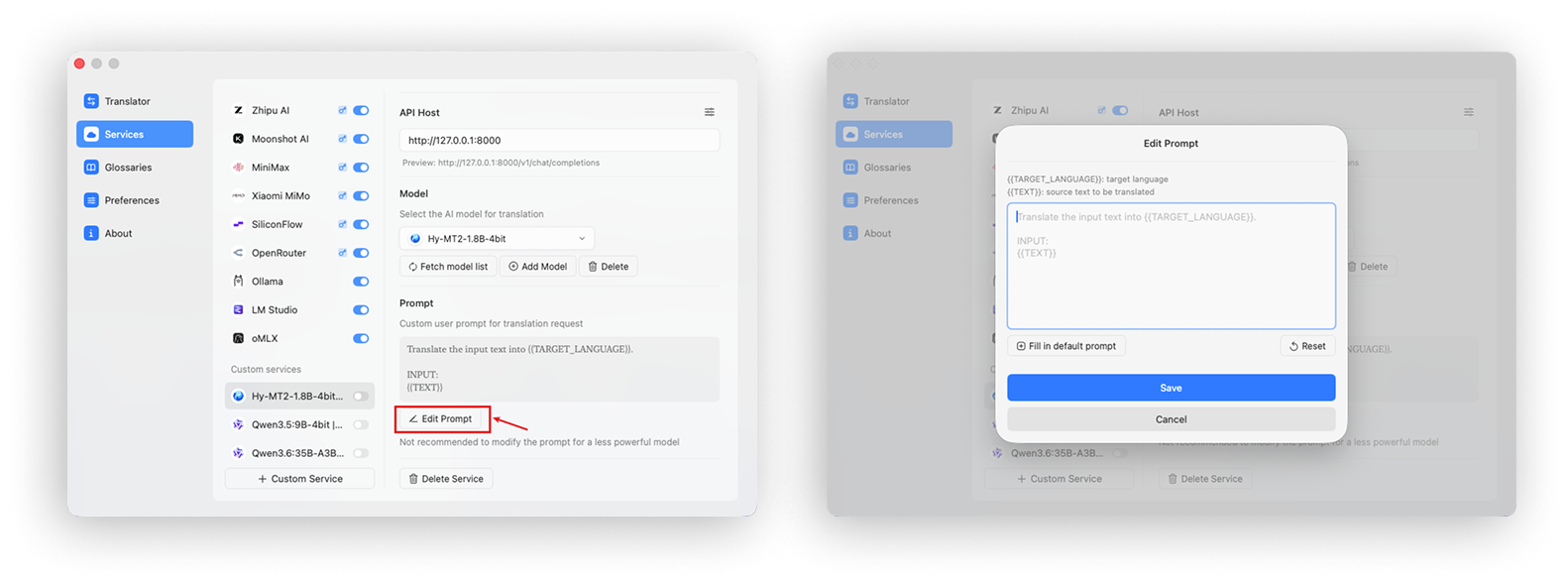
Doco Translate includes this default prompt:
Translate the input text into {{TARGET_LANGUAGE}}.

INPUT:
{{TEXT}}
Click Edit Prompt to change the prompt and adjust the model's translation style or output. Keep the {{TARGET_LANGUAGE}} and {{TEXT}} placeholders because Doco Translate replaces them with the target language and input text.