
Basic Services
Basic translation services are built into Doco Translate. Most use machine translation engines and are well suited to fast translation tasks.
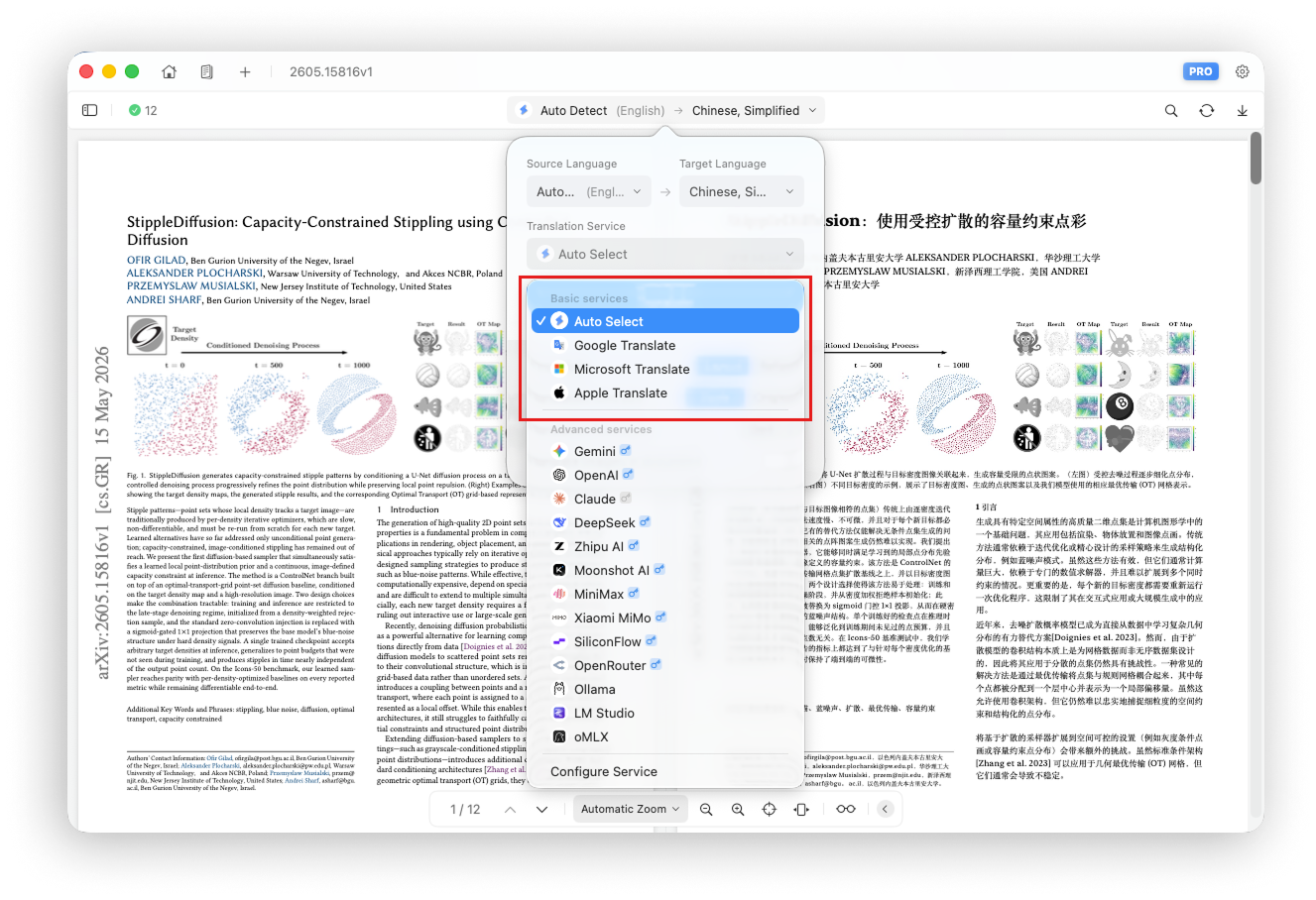
The basic services include:
- Auto Select
- Google Translate
- Microsoft Translator
- Apple Translate
Auto Select
Auto Select is the default service. It prioritizes availability and automatically chooses the service best suited to your current network environment.
Google Translate
Google's machine translation service supports many languages and provides fast translations. Network restrictions may make it unavailable in some countries and regions.
Microsoft Translator
Microsoft's machine translation service supports many languages and offers a good balance between translation quality and speed.
Apple Translate
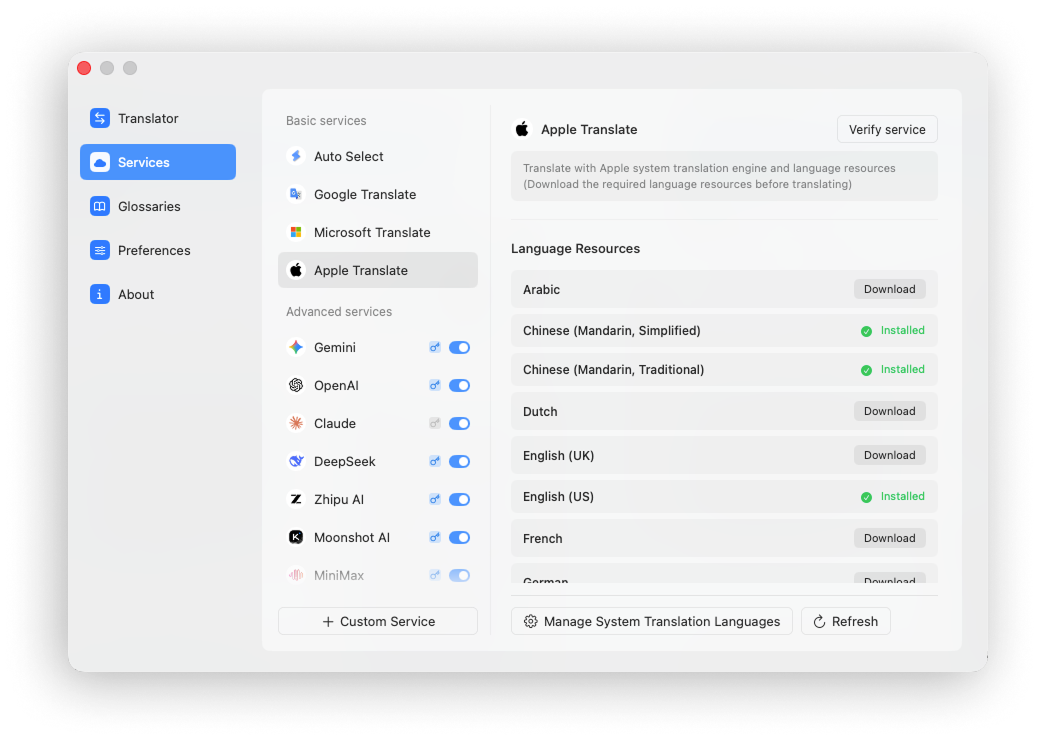
Apple Translate uses the translation APIs and language packs built into Apple operating systems. You must download the required language packs before using it.
Apple Translate supports major languages, but fewer languages overall than Google Translate and Microsoft Translator.
Download language packs under Settings → Services → Apple Translate.
Verify Service Availability
Translation services are provided by third parties and cannot be guaranteed to remain available at all times. Doco Translate lets you verify whether a service is currently working.
For example, open Settings → Services → Google Translate and click Verify in the upper-right corner.
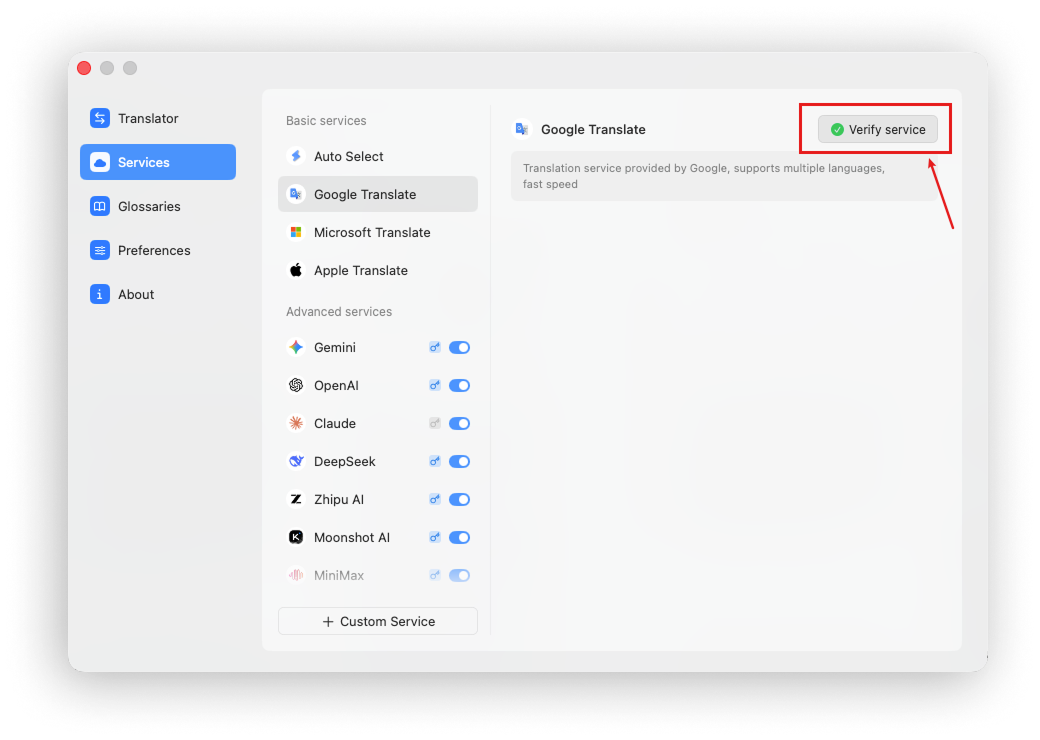
If a service becomes unstable or returns errors, switch to another translation service to avoid interrupting your work.